
Download
Download GST invoice software for Windows, Android and the web.
One free account, three ways to bill: a Windows desktop app that works offline, an Android app with offline billing, and the web app in any browser. Versions, sizes and checksums are listed so you know exactly what you are installing.
TripleBill for Windows
Version 1.4.0 · 491 MB · released 20 Sept 2026
Windows 10 or 11, 64-bit; about 1.5 GB free disk space. Works offline after the first sign-in.
Verify the file (SHA-256)
9533808a6b01e8339ce18777835472f296fcee16e07992ee2864c554ce7b217eWindows: run certutil -hashfile Triple-Setup-1.4.0.exe SHA256 in a terminal and compare. The download is also served over HTTPS from triplebill.app only.
TripleBill for Android (APK)
Version 1.4.0 · 116 MB · released 20 Sept 2026
Android 8.0 or newer; allow installs from this source when Android asks. Needs internet for sign-in; billing works offline afterwards.
Verify the file (SHA-256)
159121b8f9b79ffc39206b98faa1c882f2e7dfe3887dfd83802d56214ef2e9d5Windows: run certutil -hashfile TripleBill-1.4.0.apk SHA256 in a terminal and compare. The download is also served over HTTPS from triplebill.app only.
Resto POS for Android (APK)
Version 1.4.0 · 116 MB · released 20 Sept 2026
Android 8.0 or newer; allow installs from this source when Android asks. Sign in as the owner once, then staff use their PIN.
Verify the file (SHA-256)
b2d538245ef8641ce0dd71a8ad749e2d5ec5c915e4f2b538e8a351b2c369df5eWindows: run certutil -hashfile RestoPOS-1.4.0.apk SHA256 in a terminal and compare. The download is also served over HTTPS from triplebill.app only.
Web app
Nothing to install · Windows, Mac, Linux, Chromebook
Same features as the desktop app; needs internet. In Chrome or Edge you can install it as an app from the address bar.
Mac
No native installer yet
No native Mac app yet — the web app runs in Safari or Chrome and can be installed from Chrome as an app.
What you get on every platform
- GST invoices, quotations and proforma invoices
- POS billing with barcode scanning and thermal receipts
- Inventory with low-stock alerts and adjustments
- Purchases, supplier bills and expenses
- Double-entry accounting: ledger, day book, P&L, balance sheet
- GSTR-1, GSTR-3B and HSN summary reports
- Online store with a shareable link
- Triple AI assistant
Not yet: e-invoice irn generation on the nic portal, batch and expiry tracking, a native mac installer, an ios app.
Screens from the app
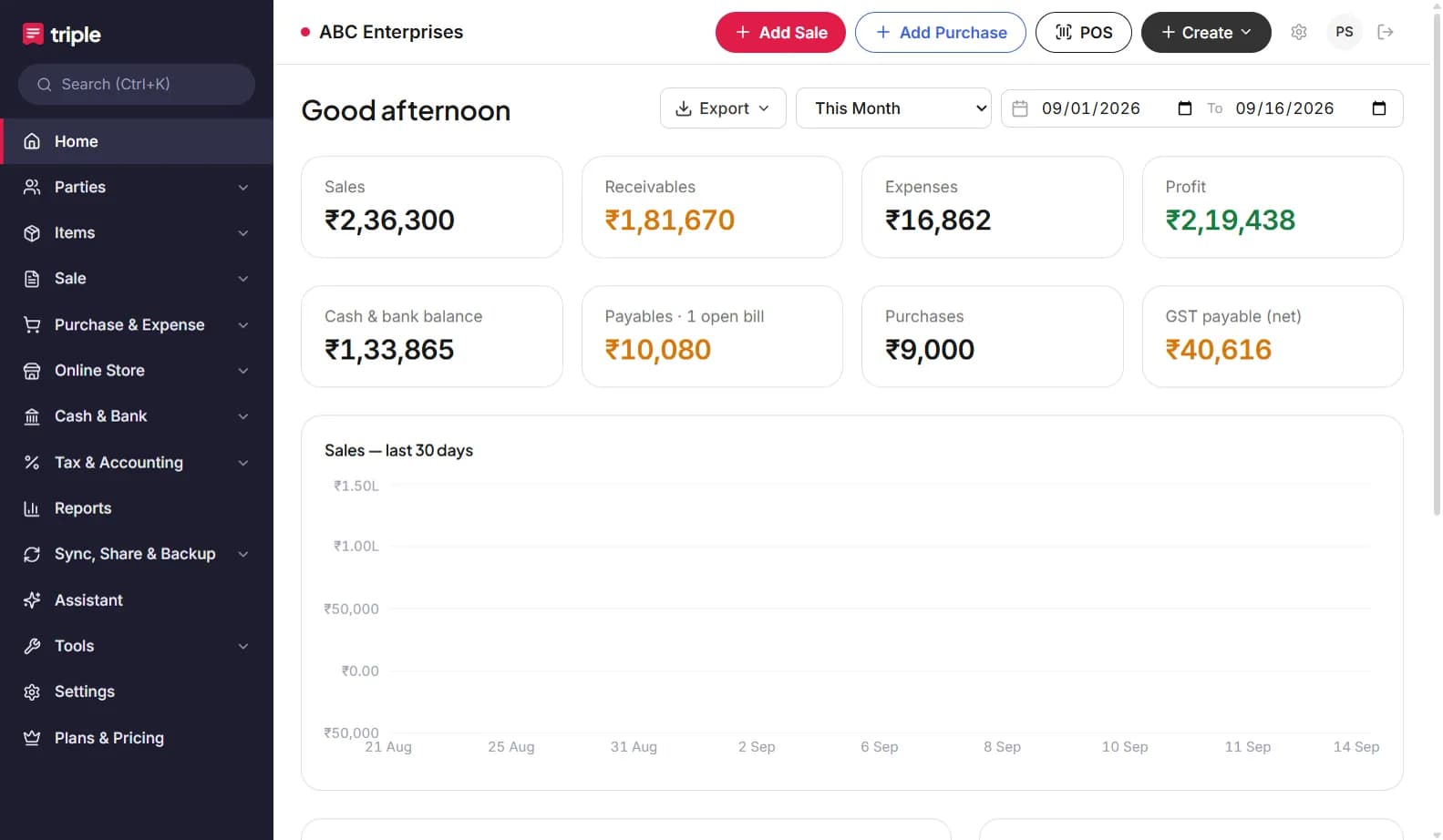
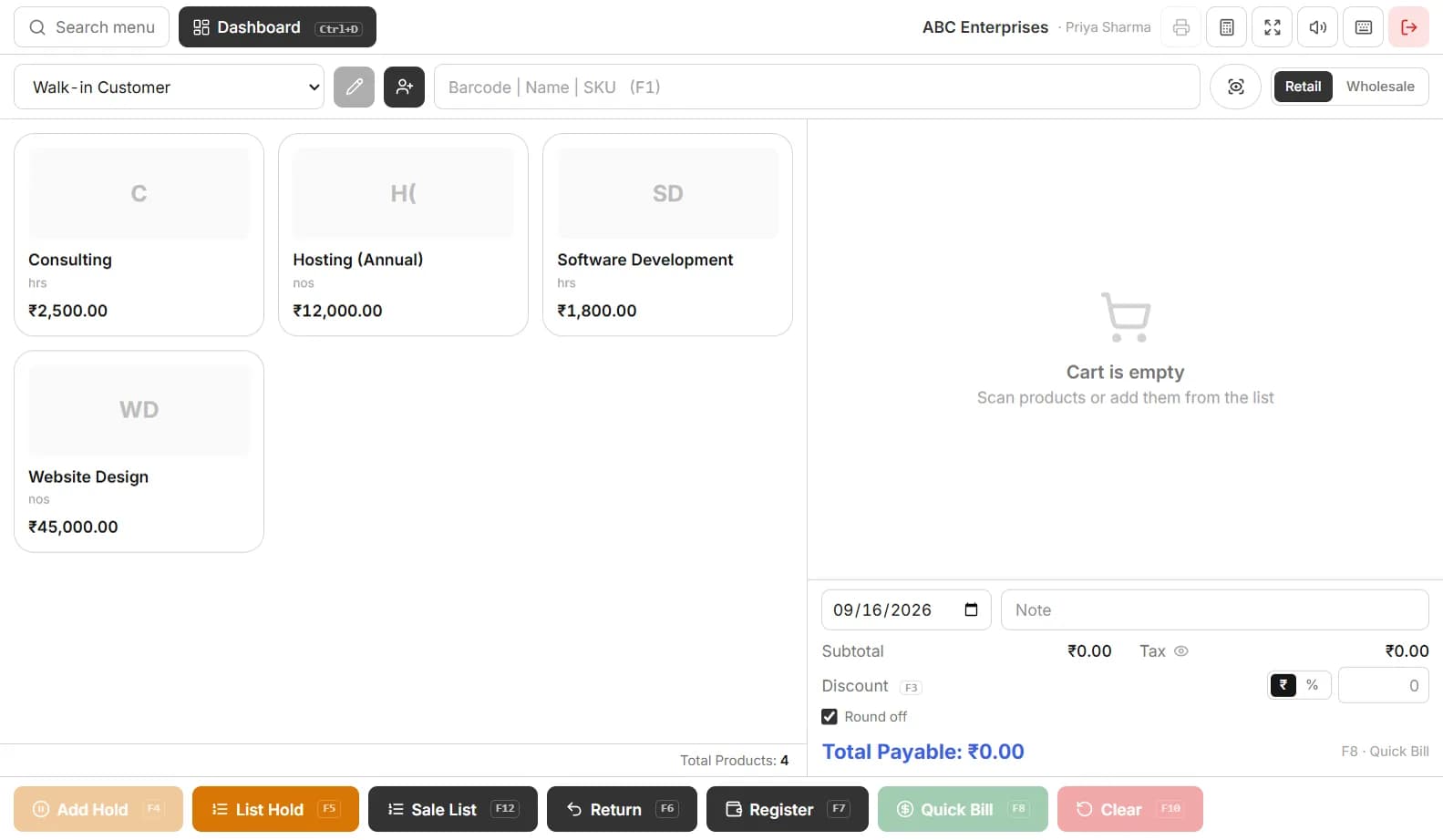
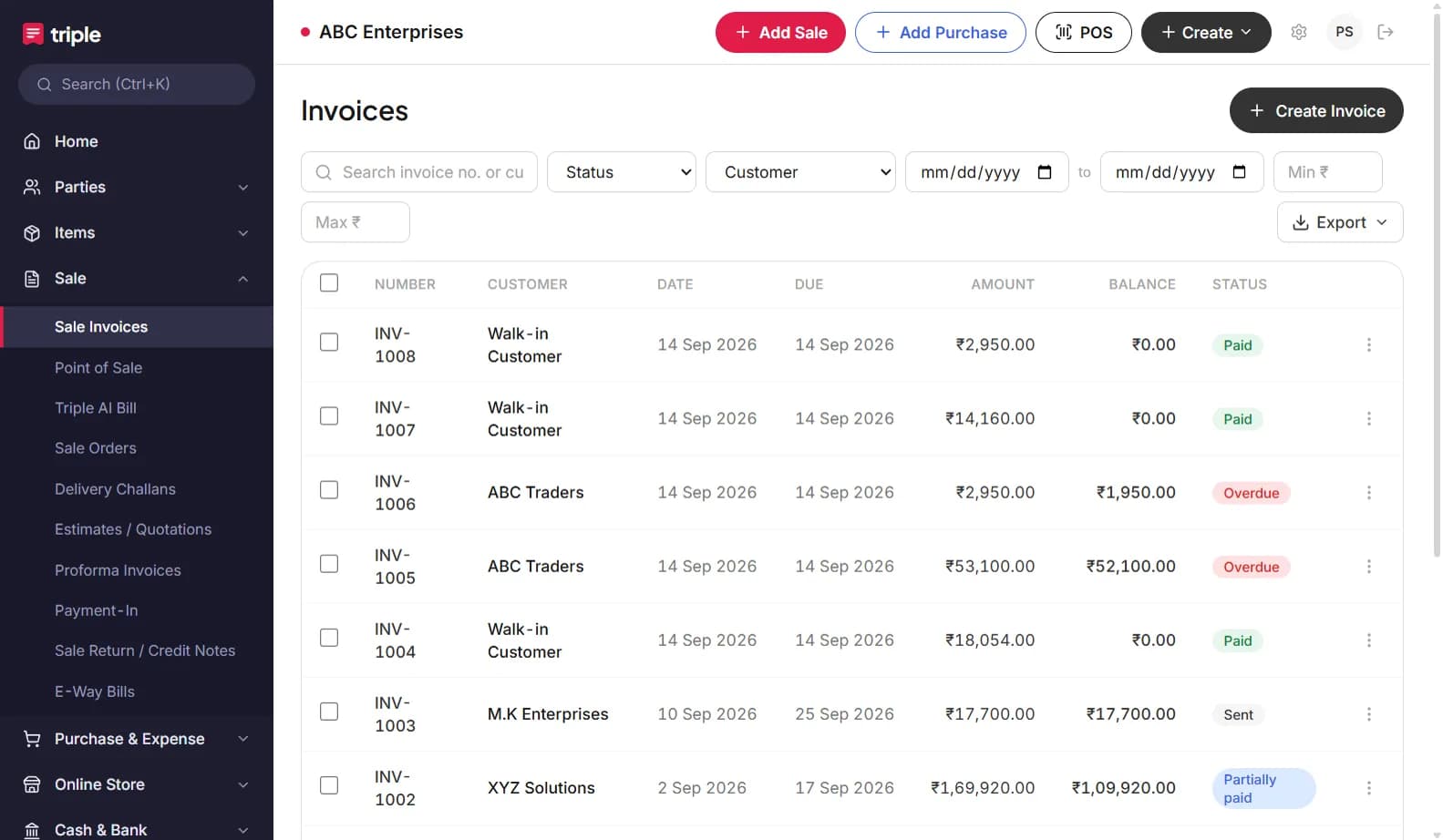
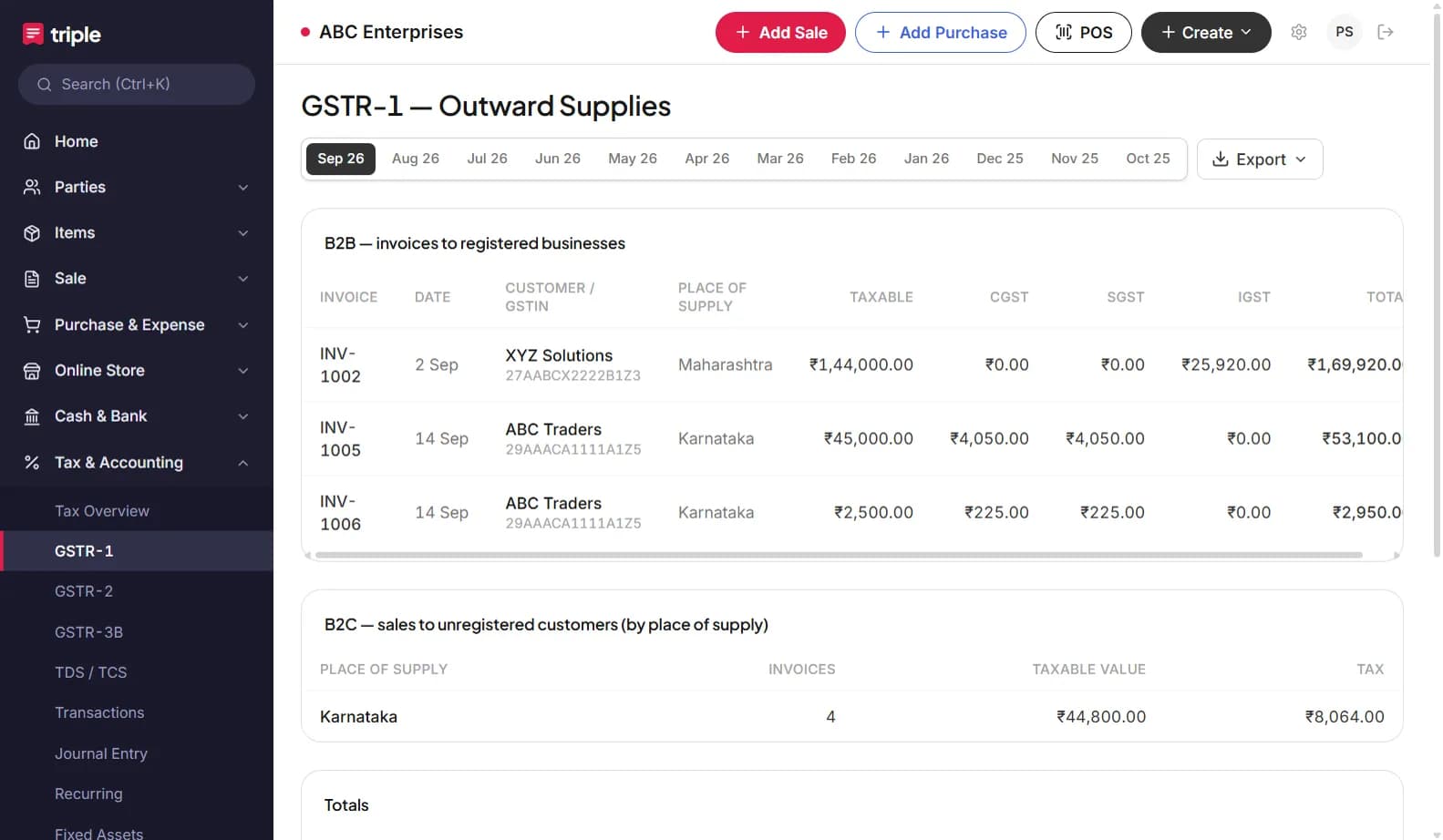
Frequently asked questions
Is the download free?+
Yes. The Windows app and the Android app are free to download and run on the Free plan with no expiry. Paid plans add staff users, e-way bill, advanced reports and API.
Why is the Android app not on Google Play?+
The Play listing is pending review. Until it is live, install the APK from this page only; check the version and SHA-256 shown here.
Is there a Mac version?+
Not a native installer yet. The web app runs in Safari or Chrome on Mac, and Chrome can install it as an app. See the Mac page.
Does the Windows app work offline?+
Yes. After the first sign-in it keeps a local database and syncs when internet is available; it also keeps local backups.
Do I need a separate account for each platform?+
No. One TripleBill account works on the web, Android and Windows; the same books everywhere.